Skip to content
KYAK Coming soon

Coming soon · ADRSOFT

Business apps without code

Design your tables, forms and menu; lists, document entry, history and permissions come ready. In development — leave your details for early access.
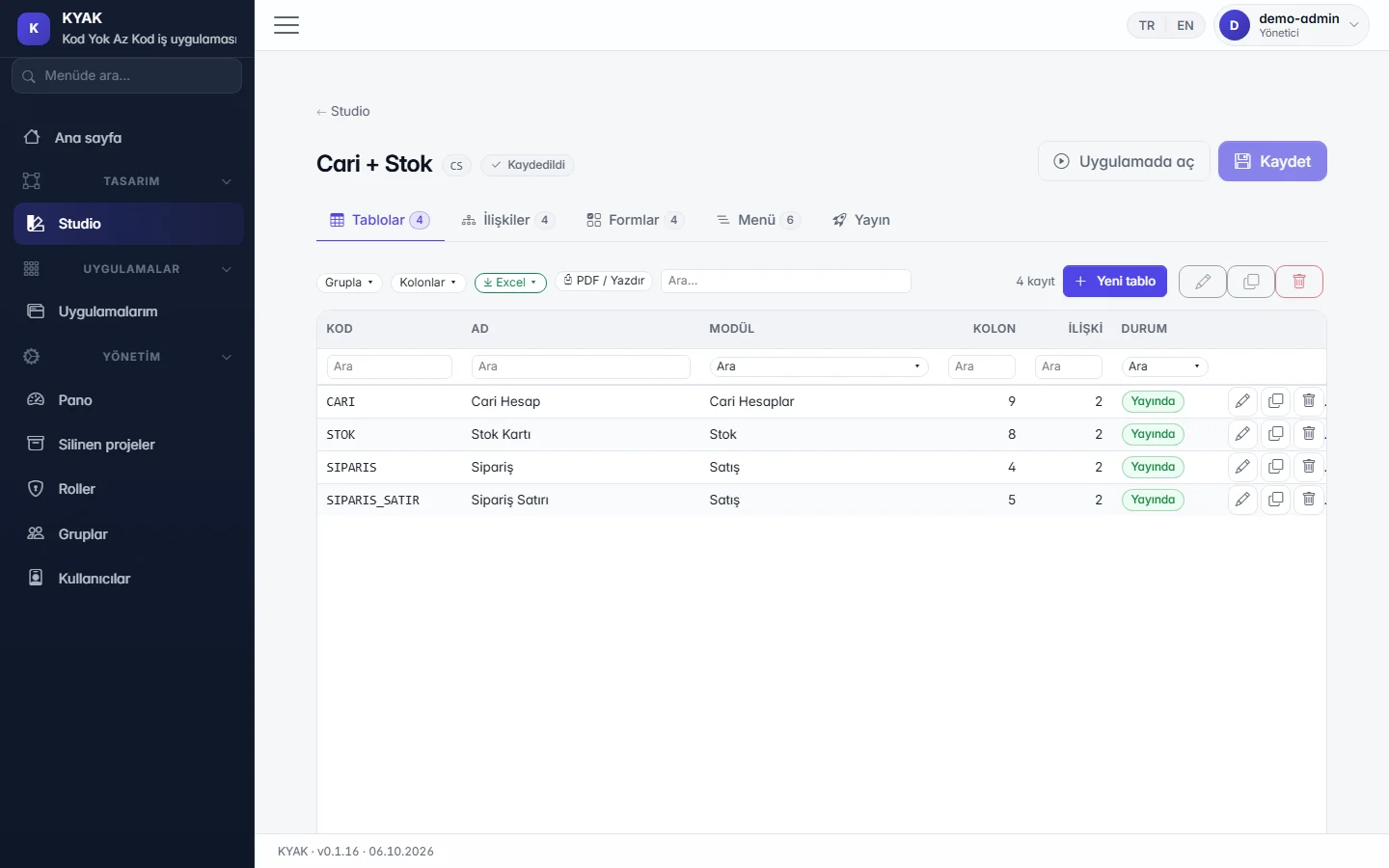
Designer: tables, relations, forms, menu and publishing (fictitious demo data)

Problem

Small needs turn into big projects

  • Work run in spreadsheets: version chaos and no record of who changed what.
  • Months-long software projects even for a small business app.
  • A separate tool for every process your ERP does not cover.

Solution

Define, publish, use

  • Define tables, relations, forms and the menu in the designer, then publish.
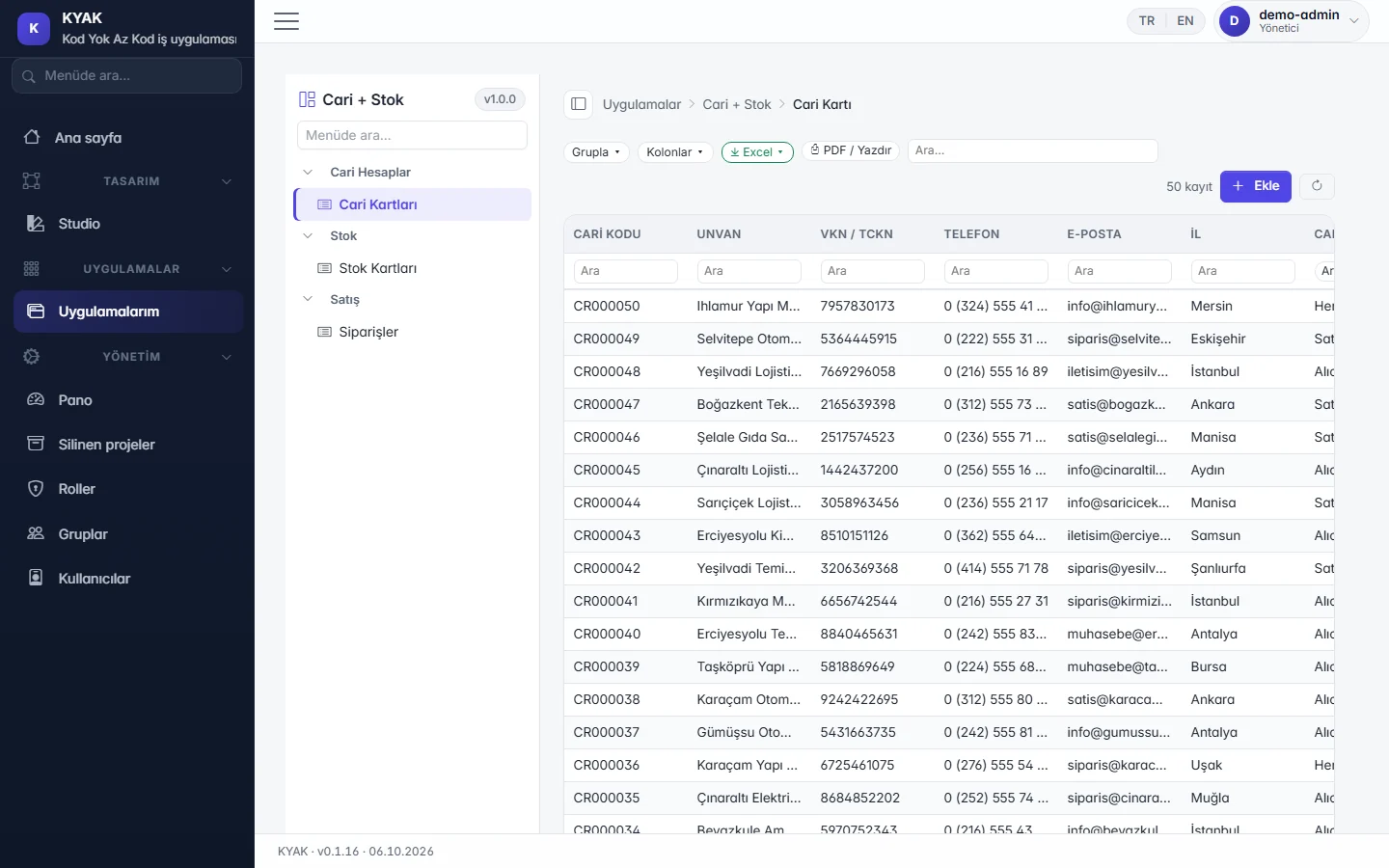
  • Lists, search, Excel/PDF export, document entry and record history come ready.
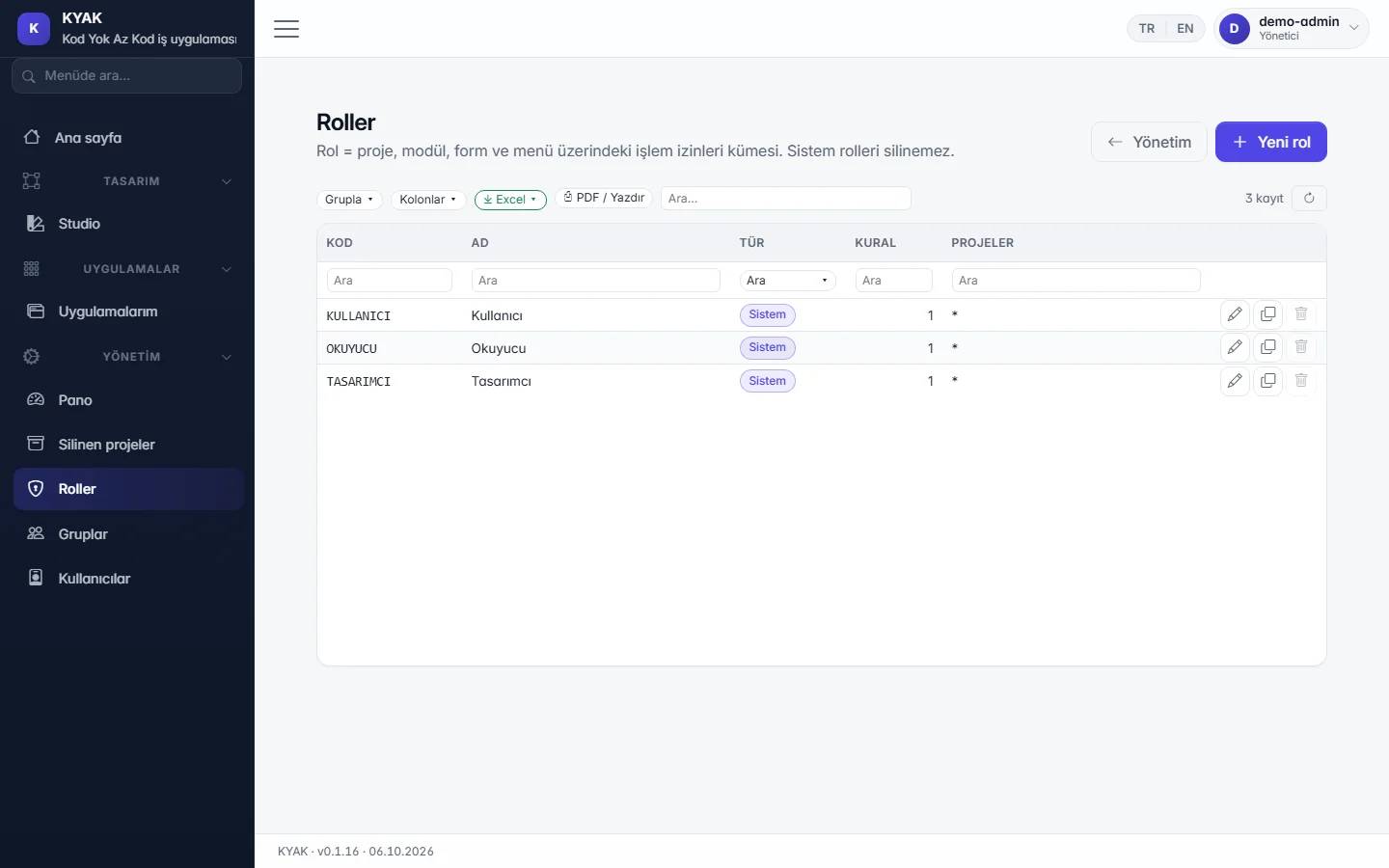
  • Use roles and groups to decide who sees and changes what.

Difference

Separate database, familiar document entry

  • In the cloud every company gets its own database; your data never shares a table with another company's.
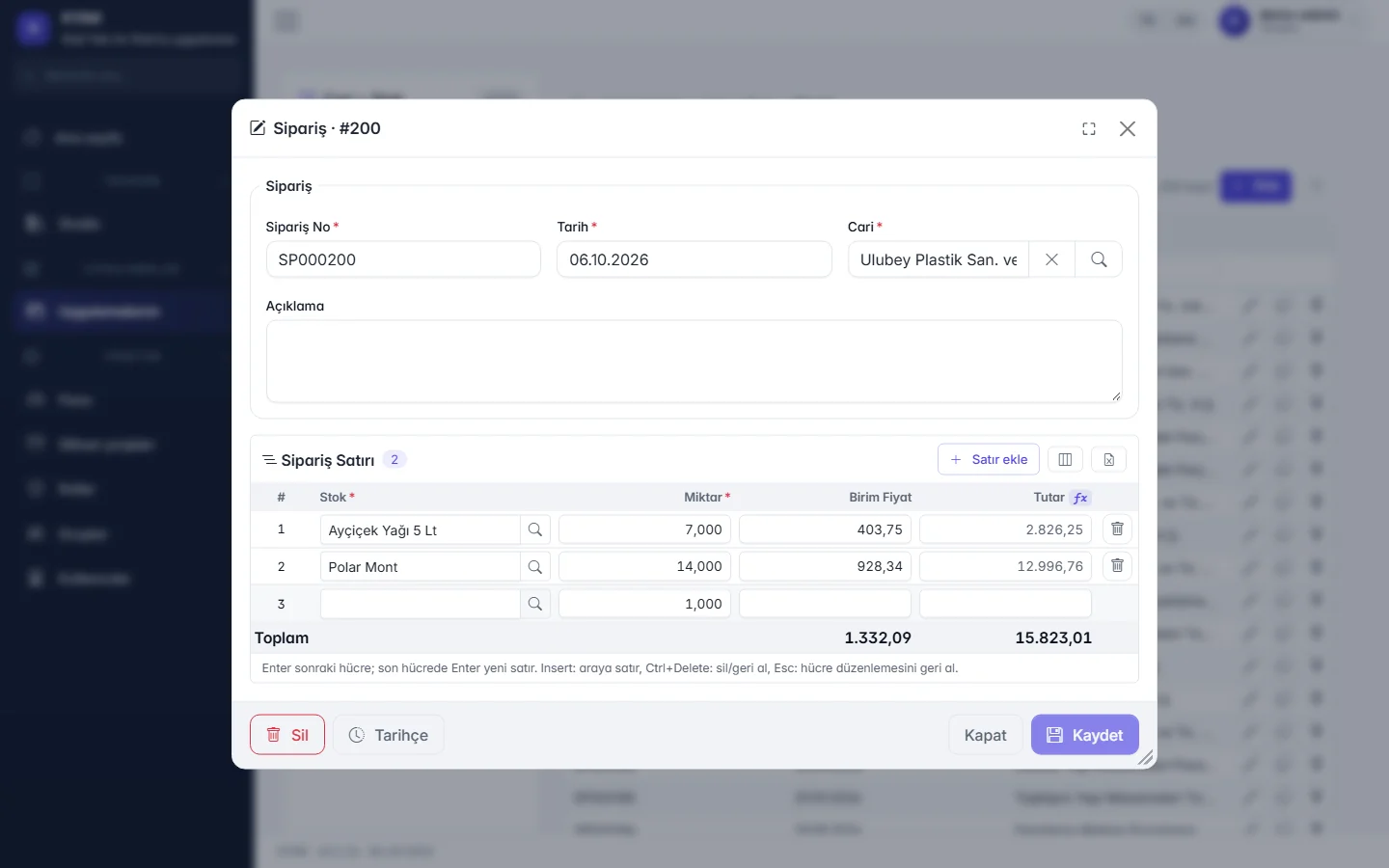
  • Document entry the ERP way: a lines grid, F2 to pick, F10 to save, written in one transaction.
  • What is ready and what comes next is stated on this page; a roadmap instead of date promises.

Highlights

Designer (Studio)

Tables, fields, relations, forms and the menu on one screen; changes stay in draft until you publish.

Visual form designer

Drag fields into place and preview on desktop, tablet and phone. In development.

Ready-made lists and documents

Every table gets a list with search, grouping, column picker and Excel/PDF export; header-and-lines documents with F2 to pick, F10 to save.

Formulas, validation, numbering

Line amounts, totals and conditions with the formula helper; rules are checked before saving and document numbers follow a template.

History and permissions

Who changed each record and when is tracked; project and form permissions by role, group and user.

Working with Excel

Export lists to Excel with real numbers; an import template and validated bulk import are in development.

Trade package templates

Core modules such as accounts, stock and orders come as templates you extend to fit.

Cloud or on-premises

In the cloud each company has its own database; on-premises, data stays in your own SQL Server.
Screens

List in the published app: search, grouping, columns, Excel/PDF
Document entry: header and lines, formula-based amounts and totals
Permission management: roles, groups and users

Roadmap

We do not promise dates; we state plainly what is ready and what comes next.

Ready 6

  1. Designer and publishingTable, field, relation, form and menu definitions; draft and publish.
  2. List and form screensSearch, sorting, grouping, column picker, Excel/PDF export.
  3. Document entryHeader + lines grid, F2 to pick, F10 to save, one transaction.
  4. Formulas, validation and numberingCalculated fields, pre-save rules, number templates.
  5. Record historyWho changed what, and when.
  6. Accounts + stock + orders starter templateA starter app with ready tables, forms and menu.

In development 4

  1. Role, group and user managementPermission screens at project, module, form and menu level.
  2. Visual form designerDrag-and-drop layout and device preview.
  3. Excel template and bulk importDownload a template, fill it in, import with validation.
  4. Trade package templatesReady templates for core trade modules.

Coming soon 6

  1. Field- and record-level permissionsHide specific fields, filter records by owner.
  2. Delete approval and archiveDeletions that need approval and can be restored.
  3. Approval workflowsStep-by-step approval for records and documents.
  4. Dashboards and chartsSummary screens built from app data.
  5. Generate a project from an existing databaseStart from the tables of ERP databases such as Logo, Mikro or Netsis.
  6. Two-way integration with external systemsExchange data with other applications.

Frequently asked questions

Is the product name final?

No, the current name is a working title and may change at launch. The address of this page stays the same either way.

When can I use it, and what does it cost?

The product is in development and we do not promise dates. Write to us and we will contact you during early access. Pricing is shared during early access.

Does it run in the cloud, or can I install it on my own server?

Both models are planned. In the cloud (SaaS) each company's data is kept in its own database. On-premises, the data stays entirely in your SQL Server; the installer is on the roadmap.

Do I need to know how to code?

No code is needed to define tables, forms and the menu. Calculation and validation rules are written with the formula helper by picking from a field list.

Can I generate an app from my Logo database?

Reading the tables of an existing ERP database to generate a starter project is on the roadmap as «coming soon». Today, projects are defined in the designer.

Join the early access list

Describe your need in a few sentences; we will contact you first when early access opens.